# How I over-engineered Halloween with two hacked Furbies
**TL;DR:** Furbies already creep people out, so I leaned in. Two hacked Furby Connects by my front door traded spooky lines all night, an evil pink one and a sweet blue one, cued over Bluetooth by a board hidden under the candy bowl. The code is open source, and you can build your own with a laptop, two Furbies, and a stock Furby DLC.
Published 2026-11-02 · [View on Ben Balter's site](https://ben.balter.com/2026/11/02/hacking-furbies-for-halloween/)
---
"Happy Halloween! Take one!" chirped the blue Furby by my front door. Then the pink one, eyes glowing red, answered: "Take two... if you DARE."
One Furby wants you to follow the rules. The other wants all of your candy. They bickered all night.
The opening exchange in the browser simulator that rehearses the show. It's muted because the voices are cloned from Hasbro's recordings, so captions stand in for them.
Over-engineering things is a pattern for me: see my [home network](https://ben.balter.com/2020/12/04/over-engineered-home-network-for-privacy-and-security/) ([twice](https://ben.balter.com/2021/09/01/how-i-re-over-engineered-my-home-network/)) and [my book](https://ben.balter.com/2026/08/17/how-i-over-engineered-my-book/). A normal person buys the 12-foot skeleton from Home Depot. I spent two weeks teaching a pair of 2016 toys to do a comedy routine over BLE.
## Furbies were creepy before I touched them
Furbies already have a reputation as the creepiest toy of the '90s. The Furby Connect is the 2016 version, with LCD screens for eyes, a light-up antenna, and an app.[^connect] That app talks to the Furby over Bluetooth, which means anything that speaks Bluetooth can talk to it too. The Furby also downloads DLC packs from the app, files of sounds, eye animations, and movements that it keeps in memory.
A DLC holds what a Furby *can* do, but the Furby only does it when something sends a cue over Bluetooth. A show needs a conductor (a laptop, or a small board hidden under the candy bowl) to tell each Furby when to deliver its next line.
A UK security firm called Context did the hard part back in 2017, when it [reverse-engineered the DLC format](https://web.archive.org/web/20180917194149/https://www.contextis.com/blog/dont-feed-them-after-midnight-reverse-engineering-the-furby-connect).[^credits] All I had to do was build on it and make a pink Furby say "Trick." with a menacing pause.
## One Furby is evil, the other is sweet
Two Furbies sit by the door. Pink is evil: demon eyes, an antenna glowing red, and lines like "Don't feed Kah after midnight..."[^gremlins] Blue is the friendly one, with jack-o'-lantern eyes and a habit of undercutting pink. ("Kah not scared. Kah has candy.")
They trade lines in short scenes. Some are greetings, which play when someone walks up. The rest play on a timer every 20 to 45 seconds, so the porch never goes quiet. A few of my favorites:
- **Blue:** "Who you gonna call?" Then a two-second pause for the kids to shout the answer, then both Furbies play the Ghostbusters theme together.
- **Blue:** *creaky door.* **Pink:** *scream.* **Blue:** "Hee hee! Gotcha!"
- **Pink:** "Kah is watching you..." **Blue:** "Kah watching too! Hi!"
- **Pink:** the opening bars of [Bach's Toccata in D minor](https://www.youtube.com/watch?v=Pi0IuyTS_ic), the haunted-house organ riff. **Blue:** "Ooh! Kah love this song!"
Door, scream, gotcha.Kah is watching.Who you gonna call?Bach, Furby-style.
Four more scenes in the browser simulator.
## One board runs the show

### Furbies are divas
A few things I learned about Furby Connects the hard way:
- **Two Furbies near each other start singing together, and then they vanish.** While they're singing to each other, neither one announces itself over Bluetooth, so nothing can find them. The fix is to wake them one at a time, and the show tells you when: "Pink is connected. Now power up blue." On the board, a light blinks once for pink and twice for blue.
- **A busy Furby plays your line with no sound.** For a while, about a third of the clips played as eyes and wiggling with no audio, because a Furby that's still moving ignores the sound of its next line. I tracked it down with [a check script](https://github.com/benbalter/Furby#deploy-and-test-in-two-commands) that plays every clip once on each Furby and times it. The eyes and wiggling often kept going well after the audio ended, and any line cued in that window came out silent.[^busy]
- **Identical Furbies are identical.** The show tells them apart only by which DLC each is running. Load (flash) both with pink's file by mistake and you have two evil Furbies and nobody telling the kids to take one.
- **Left alone, a Furby falls asleep.** It literally snores, which is adorable at bedtime and useless for an evening of trick-or-treaters. Staying connected over Bluetooth kept both Furbies awake all night, and it kept their built-in tricks, like dancing whenever they hear music, from butting into the show.
- **There's no off switch.** No failsafe either, which tracks for a Furby. The only way to shut one up is to pull a battery, so on Halloween I left both battery doors open and popped a battery in or out to wake one or put it to sleep.
### Each Furby's whole repertoire fits in 350 KB
Each Furby gets its own DLC with that Furby's lines, eyes, and antenna colors. A single text file, [`show.toml`](https://github.com/benbalter/Furby/blob/master/halloween/show.toml), describes the show, every clip and every scene, and one command builds both DLCs from it.
Each DLC has to squeeze under that 350 KB ceiling.[^budget] That's why pink's Toccata gets five seconds, enough to recognize, and a Furby's speaker doesn't do Bach any favors.

The voices are an AI mimic of the Furby's own, modeled on clips from the stock DLC, and they stay on my porch.[^voices] Every clip, real or stand-in, also has to be converted to the Furby's own compressed audio format, which used to mean a Windows-only tool. Then a stranger [opened an issue](https://github.com/benbalter/Furby/issues/12) on my fork. A developer who goes by John-K had reverse-engineered the format in the open-source [a1800_codec](https://github.com/John-K/a1800_codec) and thought I might want it. I did. It's why my toolchain runs on a Mac, and it's my favorite thing about [open source](https://ben.balter.com/2015/11/23/why-open-source/): someone you've never met solves your problem, then goes out of their way to tell you.
Loading it all used to mean a browser tool and a tongue-and-tail reset before every upload.[^reset] Now a terminal script loads a Furby in about two minutes instead of nearly six, no tongue-pulling required.
That's still a lot of waiting to find out whether a punchline lands, so I rehearsed scenes in [a browser simulator](https://github.com/benbalter/Furby#preview-the-show-on-your-computer) first: both Furbies side by side, playing each line with the eyes, antenna lights, and timing the real show would produce. Tweaking a scene there skipped the roughly five-minute round trip of building a DLC, loading it, and waking the Furby for every change.
### The eyes were the hardest part
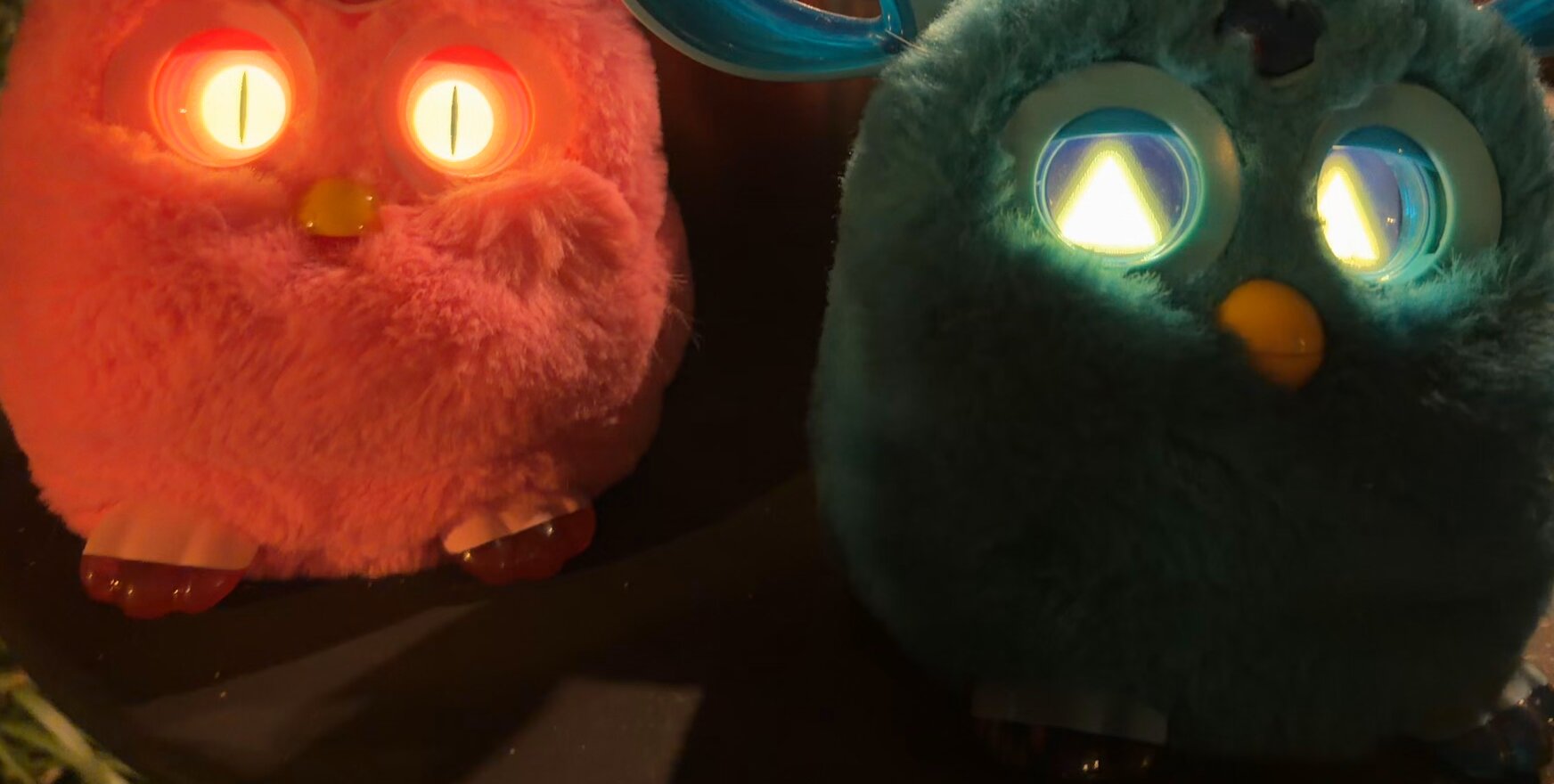
Pink's demon eyes and blue's jack-o'-lantern eyes, rendered on a computer. One animation each, the only layout that has shown up cleanly on a real Furby.The same eyes on the real Furbies, on Halloween night.
I drew both sets of eyes in code, then chopped them into the small image tiles the Furby stores. Eyes that looked perfect on my computer came out offset and duplicated on the Furby. I bisected it, one test file at a time, and it came down to a tile count. When both eyes share tiles, the Furby scrambles them unless the file holds at least 16 tiles in all. I couldn't find that documented anywhere.[^bisect]
Each Furby got exactly one eye animation: demon for pink, pumpkin for blue.[^animations]
The antenna lights join in. While a Furby talks, its antenna glows in a color that matches its eyes and swells with the loudness of the line: a red pulse for pink's demon eyes, an orange candle flicker for blue's pumpkin.
### No laptop on the porch
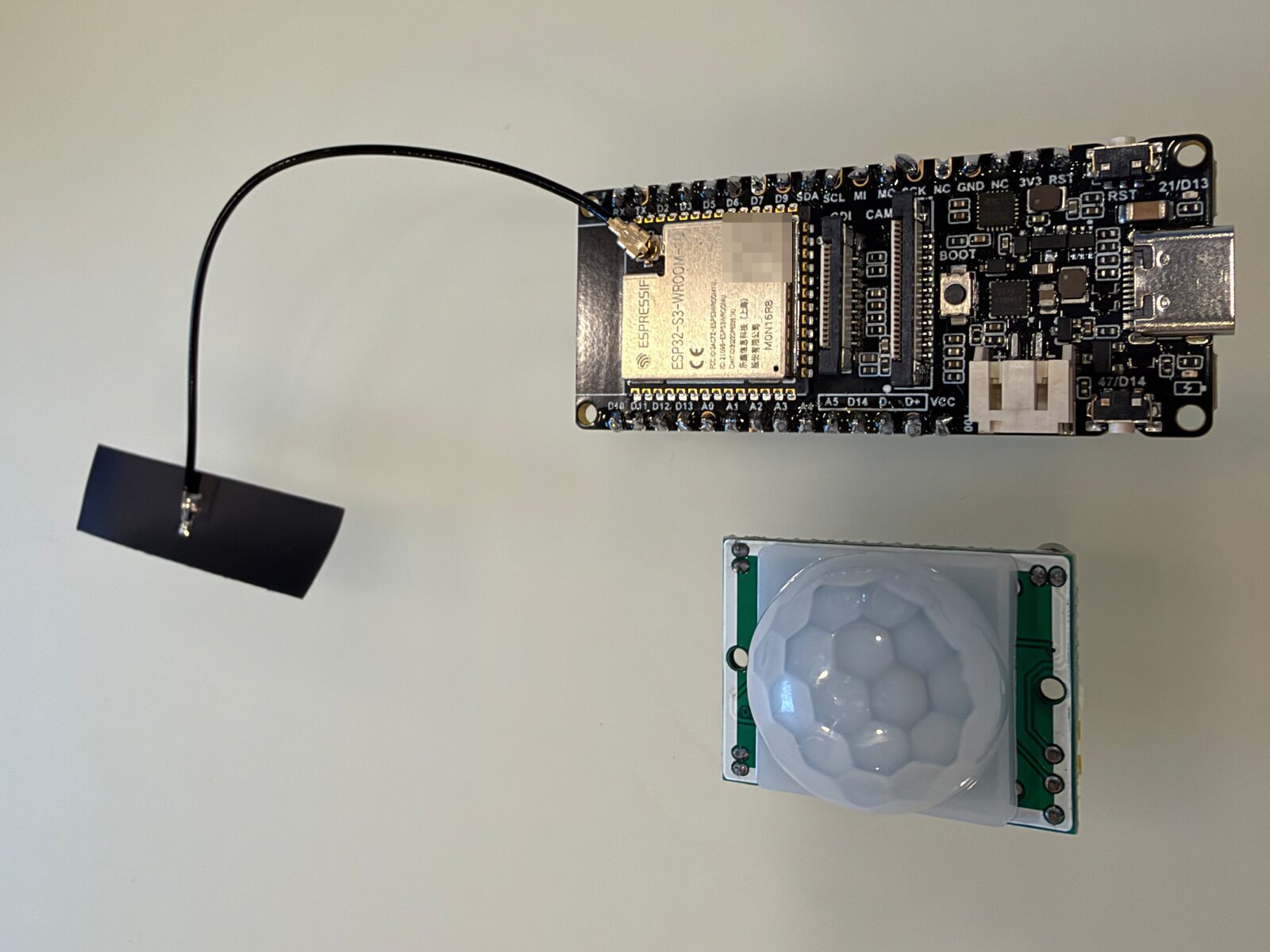
You can run the show from a laptop, but I didn't want one sitting by the door all night. On the porch, that board is an ESP32, running the same show engine in MicroPython. I went with DFRobot's [FireBeetle 2 ESP32-S3](https://wiki.dfrobot.com/SKU_DFR0975_FireBeetle_2_Board_ESP32_S3) because it takes an external Bluetooth antenna. (Another one opens and closes my office shades based on the sun's azimuth, its compass direction. That's another post.)
The board connects to both Furbies and picks one back up if it drops. A motion sensor plays a greeting when someone walks up, then ignores everyone for 20 seconds so a crowd doesn't get the same bit three times. Scenes are dealt like a shuffled deck, so every one plays before any repeats. If the board ever freezes, it reboots itself.
Powering it took three tries. The board has a plug for a rechargeable lithium (LiPo) battery, but a LiPo puts out 3.7 volts, and the motion sensor is rated for at least 4.5. I switched to a USB power bank instead, and the first two shut themselves off after a few seconds. The ESP32 is built to sip from a battery, and it drew so little that each power bank decided nothing was plugged in. The third one stayed on all night.
The porch rig is a FireBeetle 2 ESP32-S3 and a passive infrared (PIR) motion sensor. Not pictured: the Halloween-colored wiring (yellow, orange, and brown) and my shoddy soldering, done with a Radio Shack iron that's probably as old as the original Furby.
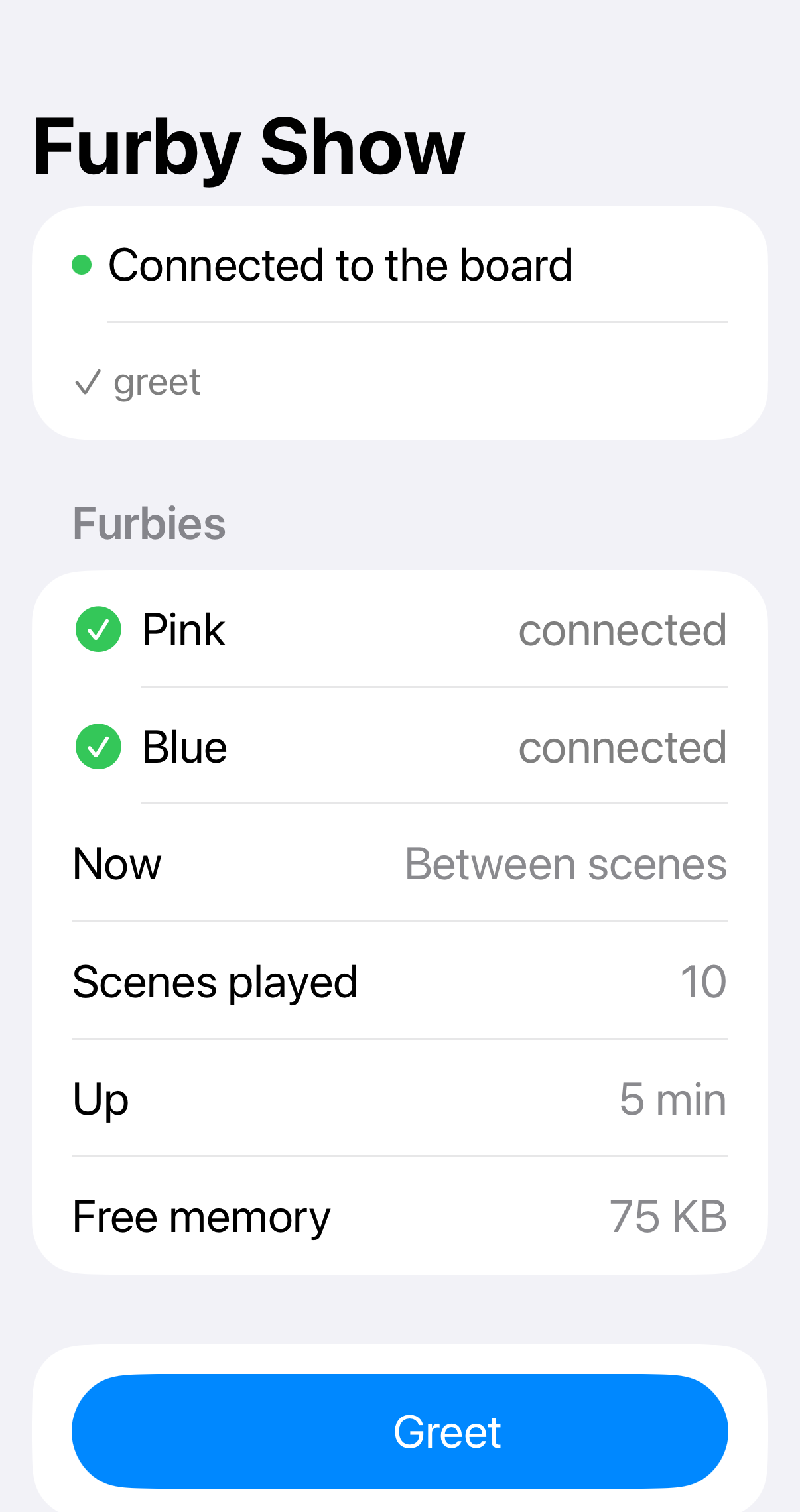
An iPhone app I built works as the remote. It was my first iOS app, and my first time writing Swift, which made it an entirely unnecessary, over-engineered learning opportunity. It shows what the board is doing and fires a specific scene or line on demand. On the night, that meant I could debug the show from my phone instead of fetching a laptop, and when curious neighbors stopped to ask about the Furbies, I could have them say hello on cue.
The remote on Halloween, with both Furbies connected and ten scenes played.
For whoever hands out the candy, there's a pair of [LED glasses](https://learn.adafruit.com/adafruit-eyelights-led-glasses-and-driver) with sound-reactive demon eyes in pink's colors.[^flashes]
## The Furbies needed to be louder
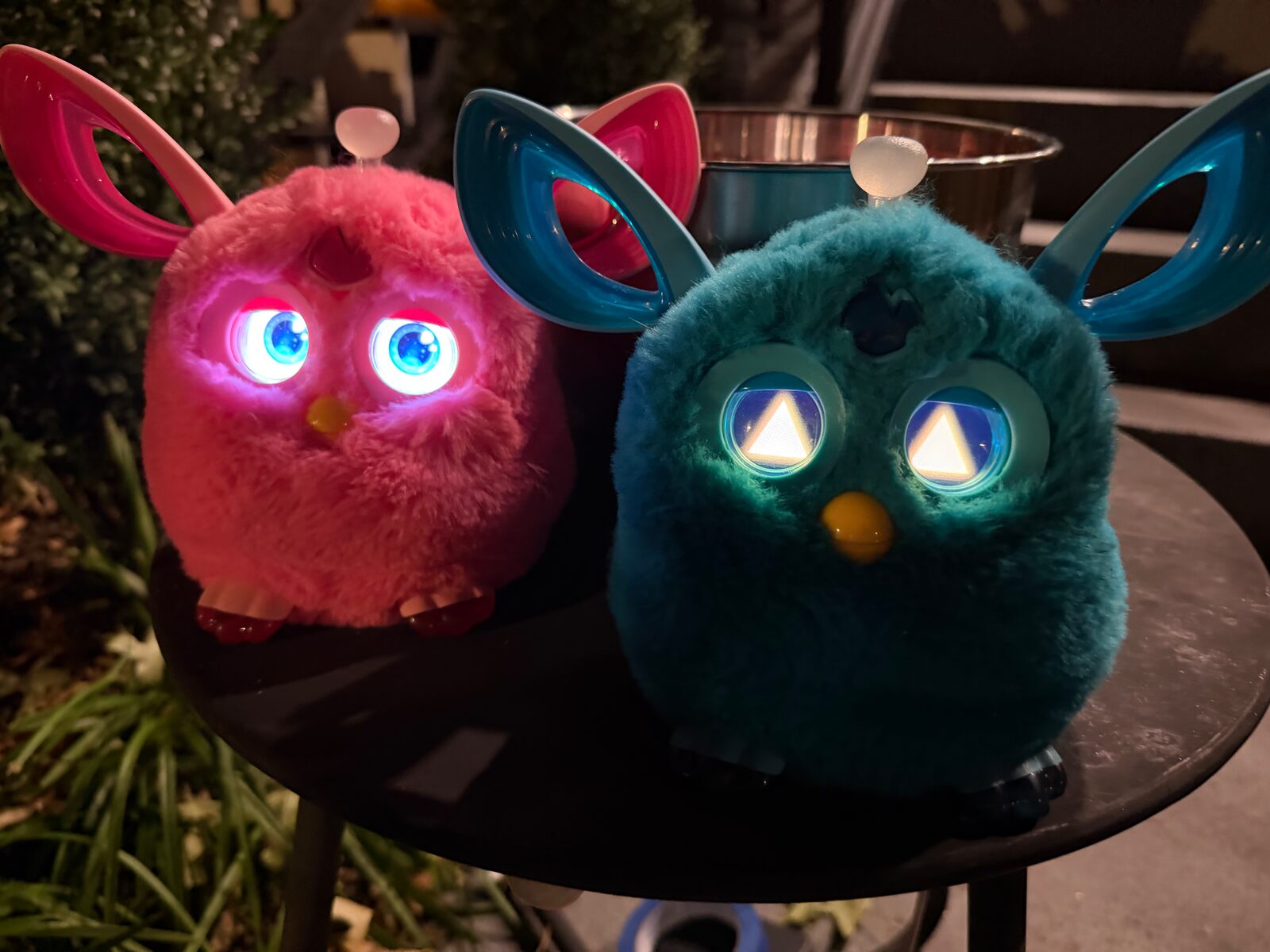
Pink and blue on the porch, guarding the candy bowl on Halloween night.
I taped the motion sensor to the underside of the candy table, pointed at the steps, so the Furbies would greet trick-or-treaters on the way up instead of once they were already at the bowl. It worked better than I expected. Kids and adults alike stopped to comment on the Furbies.
The only real problem was volume. On a porch full of trick-or-treaters, the Furbies were quieter than I wanted. That's first on the list for next year.
Most of the rig outlives the holiday. The Furbies were [a work expense](https://ben.balter.com/2026/10/29/the-rule-of-no-surprises/#:~:text=I%20just%20expensed%20two%20Furbies), bought while I was at GitHub for an internal training session. It recreated a keynote demo from GitHub Universe, GitHub's annual conference, which that year featured [a stage full of "sentient" Furbies](https://x.com/github/status/1984363580746035326). In the demo, GitHub Copilot built an MCP server (a plug-in that lets an AI assistant use a tool) to control a Furby from Visual Studio Code. That left the rest of this project under $30, and I get to keep a spare ESP32 for my next project. The Furbies, meanwhile, go deep, *deep* in the closet with their batteries out, where they can't scare anyone until next Halloween.
## Build your own
The whole thing is [open source](https://github.com/benbalter/Furby),[^mcp] and the README is written so a friend who's never opened a terminal can follow it. You need:
- Two Furby Connects and fresh batteries
- A stock Furby Connect DLC ([the README](https://github.com/benbalter/Furby#your-stock-dlc) says where to find one)
- A Mac with Bluetooth (Windows and Linux should work, but I haven't tried them)
- Some time to make the voice lines, which is where most of the setup goes
Then:
1. Install [uv](https://docs.astral.sh/uv/) (it runs the Python scripts) and [ffmpeg](https://ffmpeg.org) (it converts audio), download the code, and run `uv run doctor.py`. It tells you what's missing and how to fix it.
1. Make the voice lines. `uv run voices.py` generates stand-ins with your computer's voices, or record your own. For the cackles, screams, and creaky door, grab a free [Freesound](https://freesound.org) API key and run `audioutils/freesound_fetch.py`. The Ghostbusters bit needs your own copy of the song.
1. Edit [`halloween/show.toml`](https://github.com/benbalter/Furby/blob/master/halloween/show.toml) to write your own scenes.
1. Rehearse with `uv run porch.py --rehearse`, which plays the show through your computer's speakers. No Furbies needed.
1. Build and flash with `uv run deploy.py`, which walks you through waking and loading each Furby one at a time.
1. Run the show with `uv run porch.py`, or [put it on an ESP32](https://github.com/benbalter/Furby#running-the-show-from-an-esp32).
If you build one, tell me what your Furbies say. Pink still wants your candy.
*Furby is a trademark of Hasbro. This project isn't affiliated with or endorsed by Hasbro.*
[^voices]: The clips the AI mimics are Hasbro's recordings. I'm a lawyer, and while copyright law generally lets you imitate a recording's sound, I have no desire to become the test case for an AI voice modeled on a toy, so anything built from them stays off the internet. That includes the simulator's audio, which is why the previews in this post are muted. (Hasbro, please don't @ me. Also, this isn't legal advice.) If you want your own Furby threatening your candy, here's the recipe. Start from a stock Furby Connect DLC (the repository doesn't ship one, but [its README](https://github.com/benbalter/Furby#your-stock-dlc) says where to find one), and `uv run audioutils/extract_voice.py` unpacks its clips to WAV. Pick four clips where the Furby is just talking (no music, no giggling), trim the silence, and join them into about ten seconds of sample audio. Then give that sample and each line's text to [Chatterbox](https://github.com/resemble-ai/chatterbox), an open-source text-to-speech model that mimics the voice in a short sample. Generate several takes of each line and keep the best. I had [Whisper](https://github.com/openai/whisper) transcribe every take, kept the ones it heard correctly that sounded most like the Furby, and nudged the pitch up a semitone. Keep the results on your porch, too.
[^reset]: To reset a Furby Connect, you hold it upside down, hold its tongue, and pull its tail until its eyes go dark. It looks exactly as undignified as it sounds, for both of you. The browser tool needed a fresh reset for every DLC. The terminal script skips it by telling the Furby to delete the DLCs it already has, which clears the way for the new one. It takes 139 seconds, against 340 for the same file in the browser.
[^bisect]: Bisecting means splitting the possible causes in half, testing, and repeating until one is left. Each eye is a 128×128 screen in 64 colors, stored as four 64×64 tiles. I built a series of test DLCs, each asking one question, whose eyes showed nothing but numbered digits on black, then flashed each one and wrote down which digits came out clean. Padding the file to 16 tiles fixed it, and sharing tiles cut each set of eyes from about 79 KB to about 36 KB.
[^flashes]: The flashes stay under three a second, the threshold the [Web Content Accessibility Guidelines](https://www.w3.org/WAI/WCAG22/Understanding/three-flashes-or-below-threshold.html) set to protect people with photosensitive epilepsy, and the glasses' tests fail if they don't.
[^credits]: Context published [Python tools to read and write DLCs](https://github.com/ctxis/Furby), plus [a Web Bluetooth demo](https://github.com/pdjstone/furby-web-bluetooth) that uploads a custom DLC from a browser. The [bluefluff](https://github.com/Jeija/bluefluff) project mapped the Furby's action codes, the numbered commands that make it talk, blink, and wiggle. Rob Miles [drove a Furby Connect from an ESP32](https://www.robmiles.com/journal/2020/5/24/controlling-a-furby-connect-using-an-esp32) back in 2020, and Martin Woodward [had Copilot port bluefluff to Python](https://www.woodwardweb.com/post/2025/10/copilot-hacked-my-furby) in 2025. In October 2025, I copied (forked) [the Python tools](https://github.com/benbalter/Furby) and [the browser demo](https://github.com/benbalter/furby-web-bluetooth) to poke at one Furby, and got as far as a Toccata DLC too big to upload. This year, I came back and kept going.
[^budget]: Uploads time out above about 350 KB, and audio costs about 2 KB a second, so each Furby gets a bit under three minutes of sound, minus everything else in the file. A single set of eyes costs about 36 KB on its own.
[^animations]: The bisecting found a second limit. A DLC with three eye animations didn't garble. It quietly showed the *previous* DLC's tiles in the new colors, as if the new tiles never loaded. I only tested three, never two, so the show plays it safe with one.
[^busy]: Cueing a Furby keeps it busy until its movements finish, often long after the clip ends. Cue it again too soon and it happily runs the action, silently. Now the show listens for the Furby's reply. If it says it's busy, the show waits for it to finish and sends the line again.
[^connect]: The original Furby came out in 1998, with plastic eyelids, a motor, and a habit of chattering at other Furbies over infrared. Hasbro has rebooted it several times since. The Connect is the one that talks Bluetooth to an app, which is what makes it hackable from a laptop.
[^gremlins]: A nod to *Gremlins*, the 1984 movie whose one unbreakable rule is never feed a mogwai after midnight. Furbies have always looked a little like Gizmo, the movie's furry hero, and Context titled its write-up after the same rule.
[^mcp]: Rather have an AI assistant drive? [furby-mcp](https://github.com/benbalter/furby-mcp) lets Claude and other AI tools find your Furbies, cue their actions, light their antennas, and load new DLCs.